Connect a source
Paste a YouTube channel, a single video URL, or a video file on your PC.
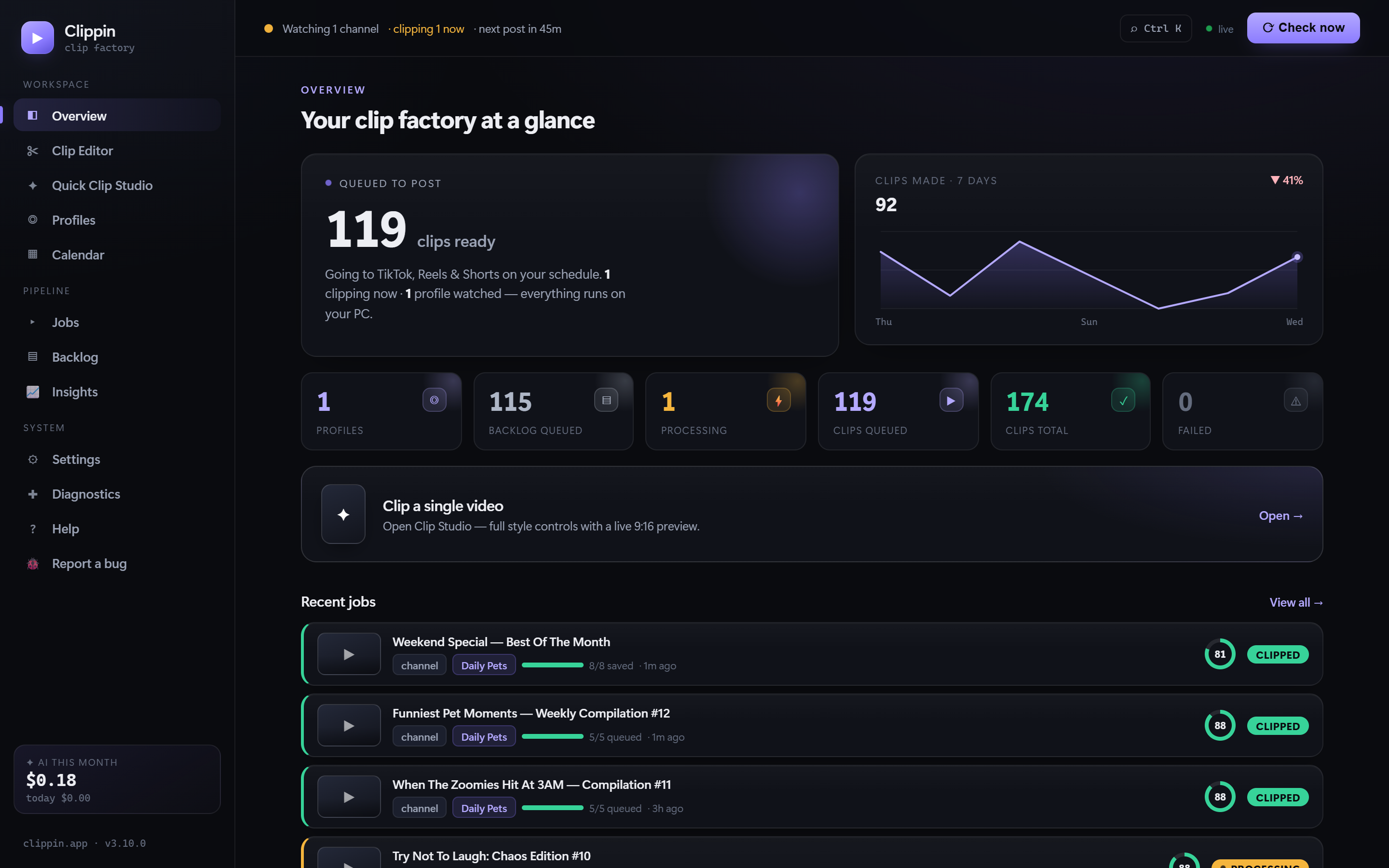
Clippin watches your YouTube channel and turns every upload into vertical clips: AI picks the best moments, keeps the subject in frame, writes captions, and burns in word-pop subtitles, then posts to TikTok, Reels & Shorts on a schedule. Or open the new Clip Editor and craft a clip by hand on a real timeline. All on your own PC.
Every clip renders in crisp 1080p, true 9:16, with the subject kept in frame and bold word-pop captions that light up word by word as they’re spoken — the retention trick the top faceless channels pay editors for, baked in and automatic.
Paste a YouTube channel, a single video URL, or a video file on your PC.
Clip count, length, resolution, subtitles, branding, music, and daily cadence.
AI finds and rates the best moments, frames the subject, and captions locally — everything renders on your PC in true 9:16.
Auto-post on a schedule, hold clips for your approval, or save them to a folder.
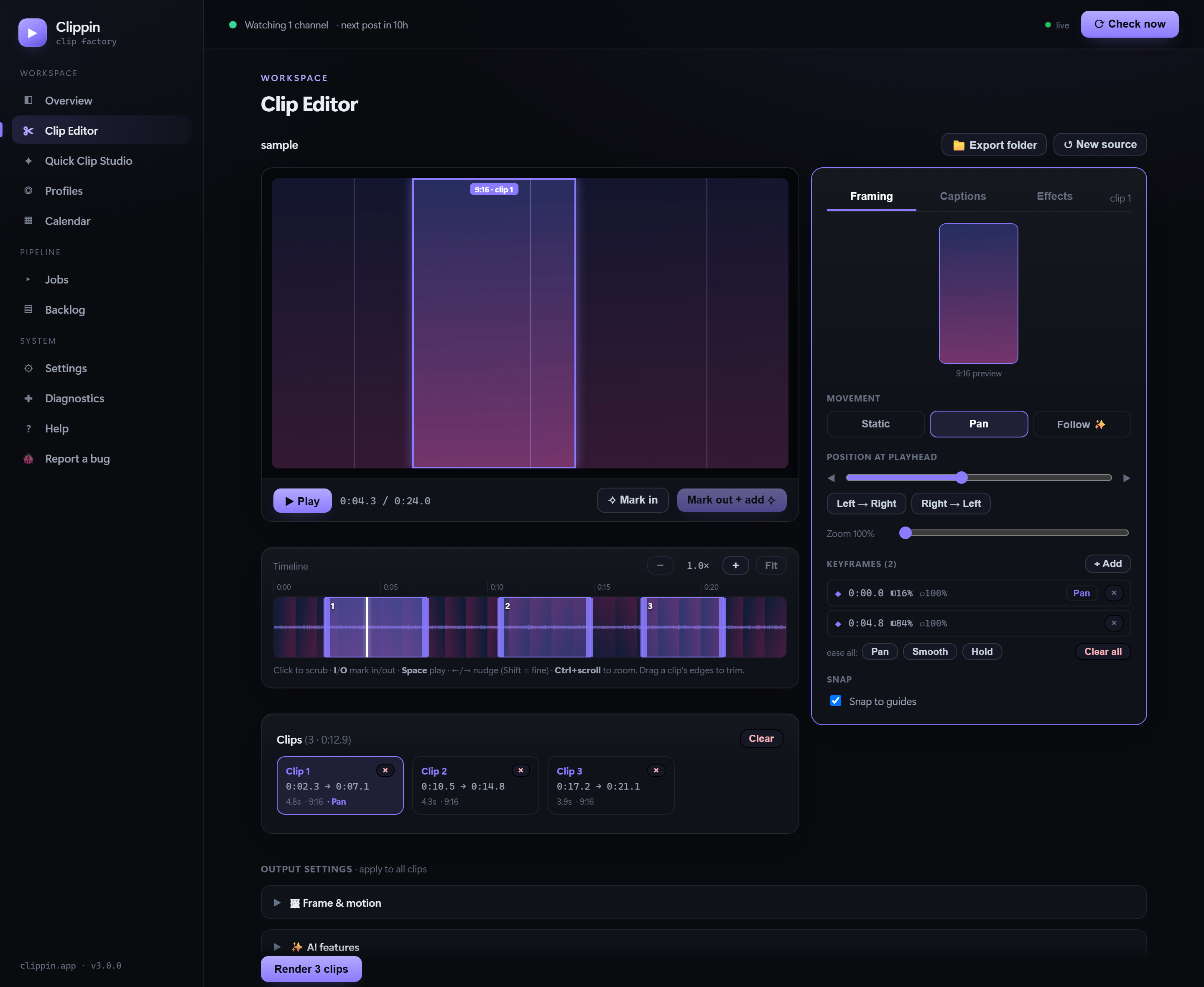
When you want full control, open the Clip Editor. Scrub the video on a waveform + filmstrip, mark exactly where each clip starts and ends, and shape every one by hand — with a live 9:16 preview of your framing, captions, and effects over the actual footage.
Bring your own AI — Claude, OpenAI, or Gemini (pay-as-you-go, typically pennies per video), or run it free and fully offline with a local Ollama model. Every feature falls back gracefully if it can't run.
Reads the video's transcript and clips the funniest, most surprising, most engaging moments — instead of blind sequential cuts.
Rates every clip's viral potential 0–100 with a one-line reason, so you post — or prioritize — the strongest cuts instead of guessing.
Aims the 9:16 crop at the subject — or turn on face tracking and the crop smoothly pans to follow them across the whole clip, so nobody drifts out of frame.
A distinct, hooky caption plus hashtags for every single clip — tuned to your niche, never repetitive.
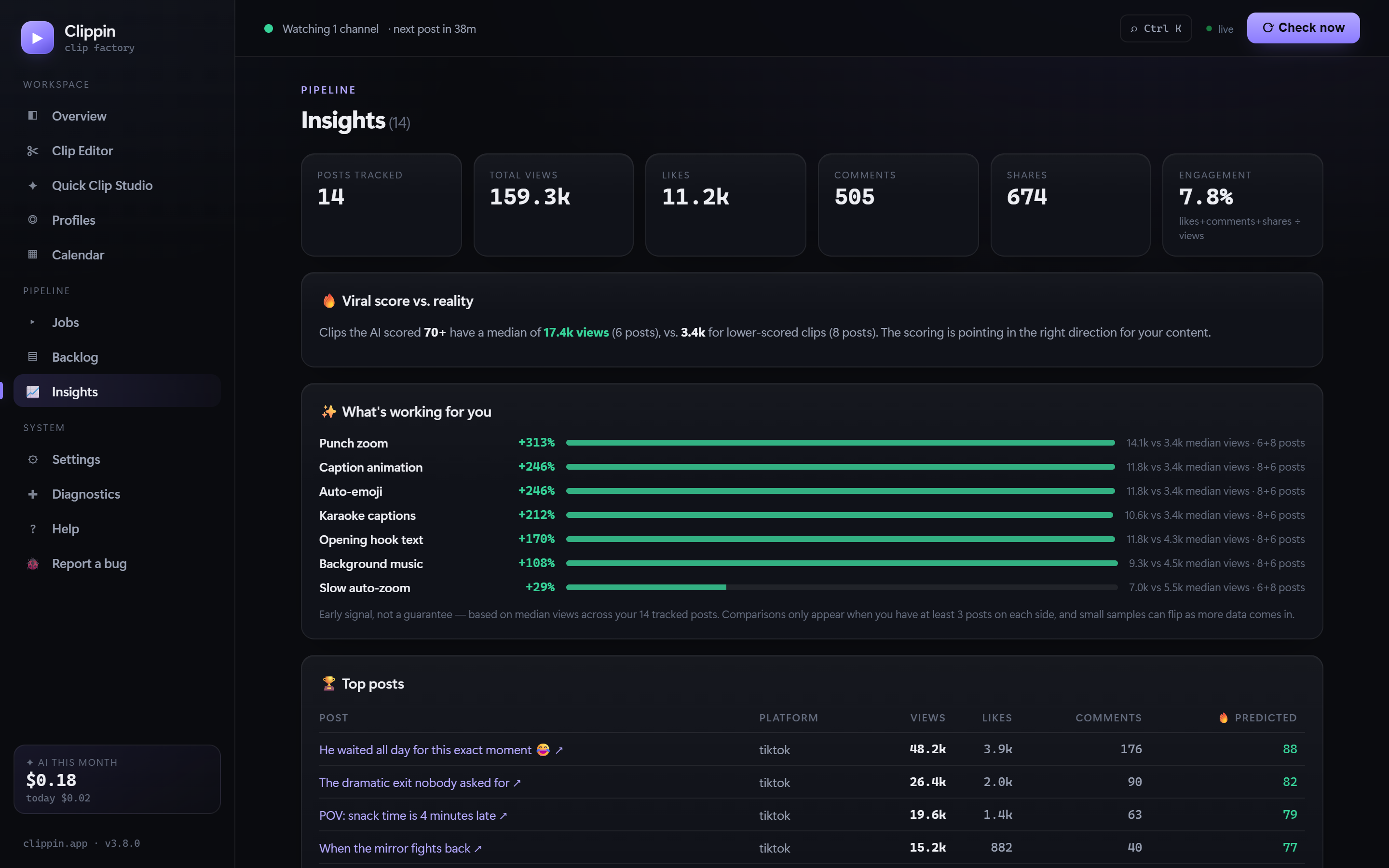
Once your clips go live, Clippin automatically pulls the real views, likes, comments, and shares back from your posts — no spreadsheet, no checking each platform. Then it turns your own results into answers.
The viral “karaoke” look — bold fonts, ALL-CAPS, each word popping as it's spoken. On by default, styled your way.
Speech-to-text runs on your own PC, so captions work on any video — nothing is uploaded.
Auto color-emoji on keywords, punch-in zooms, and sound effects — the touches that make clips feel professionally edited.
Relevant stock cutaways dropped on keyword moments, captions on top — the way the top AI clippers do it.
Stack both people from one 16:9 frame — the clean interview & podcast layout, in one click.
Set a minimum viral score and only your strongest cuts auto-post; the rest wait for your review.
YouTube channels & links, watched folders, local files — even podcasts become captioned waveform videos.
Processing, files, database, and keys stay on your computer, with automatic daily backups.
Clips + captions land in a folder with naturally-paced posting times on the calendar — and at post time, each clip and its caption is delivered straight to your Telegram, ready to post natively from your phone.
Clippin spreads posts through the day and publishes them through your connected upload-post.com account.
No. Clippin is a Windows desktop app. Processing happens on your own PC and your project data stays local.
Yes. Download Clippin and make up to 30 clips free in Quick Clip Studio, saved to a folder — no credit card, just an email to start. When you're ready, enter a license key to unlock the full app: the Clip Editor, profiles, channel autopilot, auto-posting, and unlimited clips.
Clips carry a small, unobtrusive Clippin.app mark in the corner. You can remove it permanently with a one-time $9.99 upgrade — buy it from inside the app (Settings → Upgrades), and it attaches to your license automatically.
Each license activates one computer by default. Need it on another? Add an extra device seat for a one-time $9.99 from Settings → Upgrades — it's added to your existing license by email, no second purchase of the app.
No. It uses a one-click installer and a graphical dashboard. A quick initial setup connects the services you choose to use.
Highlight picking, viral scoring, smart framing, and written captions use the AI provider you choose — Claude, OpenAI, or Gemini with your own API key (pay-as-you-go, typically pennies per video), or a local Ollama model that runs free and offline. Each feature is optional and Clippin falls back gracefully without it. Speech transcription is separate and always runs locally.
Auto-posting uses upload-post.com, where you connect your own TikTok account. You can also hold clips for approval first, or skip posting entirely with save-to-folder mode.
Yes — that's the free post-it-yourself path. Choose “Save to folder” on a profile and turn on the manual posting schedule: clips get real, paced posting times on the calendar, and at post time Clippin sends the clip + caption to your Telegram so you can post it natively from your phone in seconds. upload-post is only needed if you want posting to be fully automatic.
Yes. Clippin automatically pulls real views, likes, comments, and shares back from your published posts and shows them on each clip and on the Insights page — including whether the AI's viral-score predictions matched reality, and which of your style options correlate with your better-performing posts.
Use videos you own or content you are licensed or otherwise permitted to repurpose. Clippin does not grant rights to third-party media.
More questions about specific features? See the full feature tour.
One-time purchase · Windows 10/11
Download and make up to 30 clips free in Quick Clip Studio — no card needed. Add a license key any time to unlock the full app.
Buy — your license key is emailed to you
Install — download & run the installer
Activate — paste your key, start clipping